

A homeowner who is ready to hire should never have to hunt for your phone number. We build every page so calling you or asking for an estimate takes one tap.
Most contractor websites lose the customer at the last step. The person wanted to reach out and the site made it harder than calling the next company on the list.
Someone lands on your site from a search or your Google profile.
They see the exact job they need, with photos and straight answers.
They tap to call or send a short form without leaving the page.
The request goes straight to you, with what they need and how to reach them.
Illustration with sample details. Not a real business, customer, or inquiry.
A tappable phone number on every page, so a visitor on a phone can call in one tap.
Short forms with large fields that are easy to fill out with a thumb.
A request path on each service page, so the customer asks about the job they were just reading about.
The form catches a missing phone number or a mistyped email before it is sent, so you get requests you can answer.
Requests are sent directly to you. Calls ring your phone.
One obvious next step per page, worded the same way across the site.
Tracking set up for calls and form requests, so the site's results can be measured.
Where tracking is in place, it can show which page or button a request came from.
The visitor sees a clear message that the request went through.
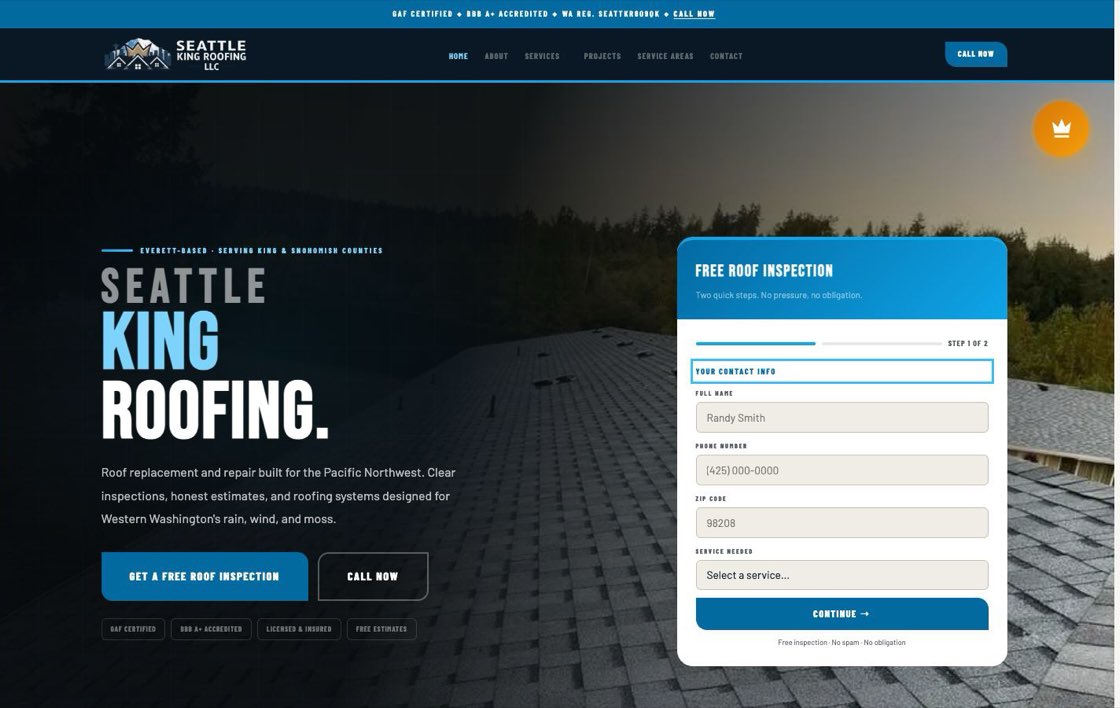
A two-step free inspection form sits in the first screen. A separate prompt for an active leak gives urgent visitors a faster route, and phones get a fixed call and inspection bar.
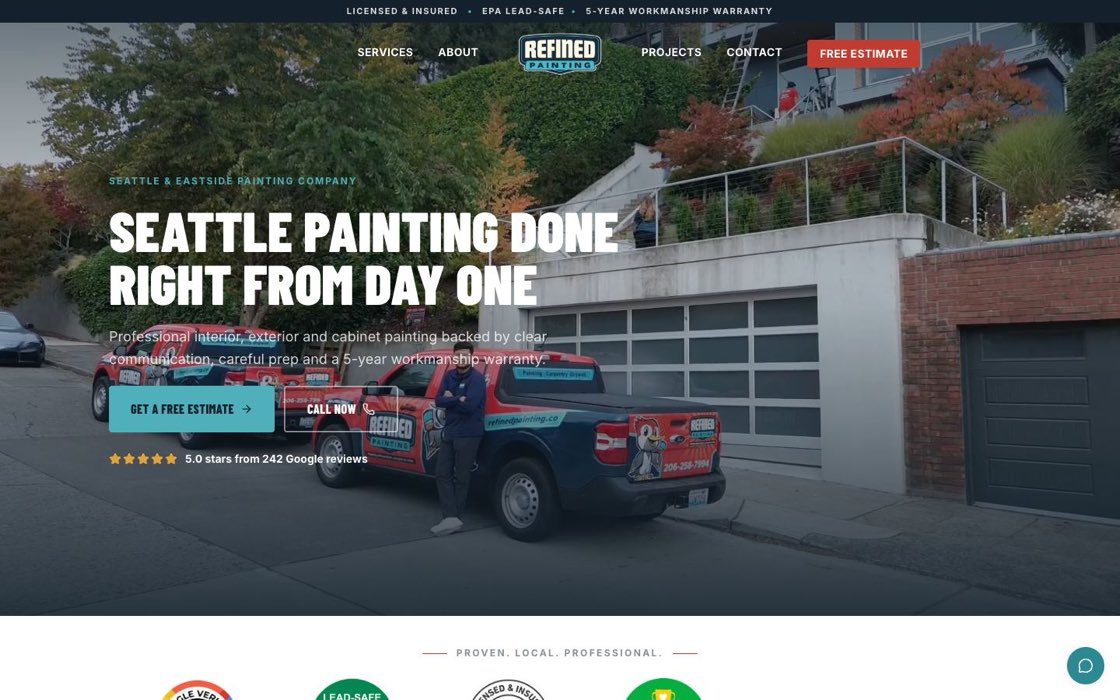
A free estimate button and a call button sit side by side on the first screen, with the estimate button repeated in the header.
Why it matters: you already paid, in time or money, to get that visitor to the page. If the last step is hard, that effort is wasted. A website can make the request easy. Turning a request into a booked job is still your call, your price, and your follow-up.
See a demo with your real services and a request path built in.